Keep the project in view
Organize conversations by workspace. Bring files into context, review changes, and pick up where you left off.
 DCodeVersion 0.14.2
Meet DCode, your desktop workspace for building with AI. Bring your projects, conversations, browser, and tools together. Stay with the work.
For macOS, Windows, and Linux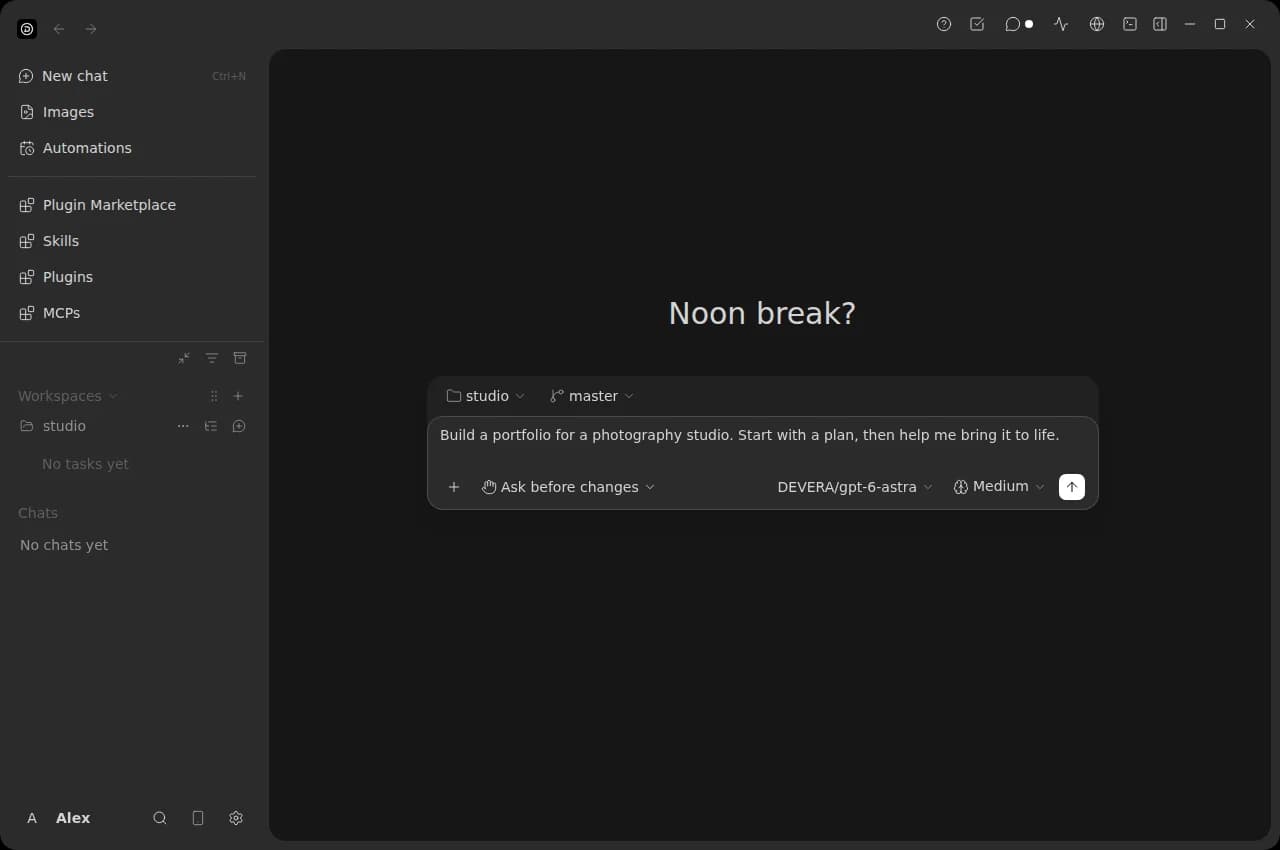
One place to work through the whole idea, from your first prompt to the details that make it yours.
Organize conversations by workspace. Bring files into context, review changes, and pick up where you left off.
Use the built-in browser to preview and navigate. Keep your terminal and review tools beside the conversation.
Generate images in Image Studio, queue variations, and return to your saved library. Choose from the image models available to your account.
Add skills, plugins, and MCP connections. Schedule automations for your projects and keep your local tools on your machine.
Choose your desktop. We’ll walk you through the rest.
Apple Silicon · macOS 12+
M-series Macs. In-app updates supported. Not Apple-notarized.
Download for MacWindows 10 / 11 · 64-bit
For Intel and AMD PCs. In-app updates supported.
Download for WindowsIntel / AMD · 64-bit
Debian package for Ubuntu, Zorin, and compatible systems.
Download .debA DEVERA account with DCode access is required. Internet access is needed for sign-in and AI features. Request access ↗
Choose your system for the installation walkthrough. Keep this page open during your first launch.
Download the Apple Silicon archive above. Open the .tar.gz file in Finder to extract DCode.app. This version is for M-series Macs; it does not support Intel Macs.
Drag DCode.app into your Applications folder, then open it from there.
This preview is not Apple-notarized. If macOS says it cannot verify the app, dismiss the message. Open Apple menu → System Settings → Privacy & Security, scroll to Security, and choose Open Anyway next to DCode. Confirm Open and authenticate if asked.
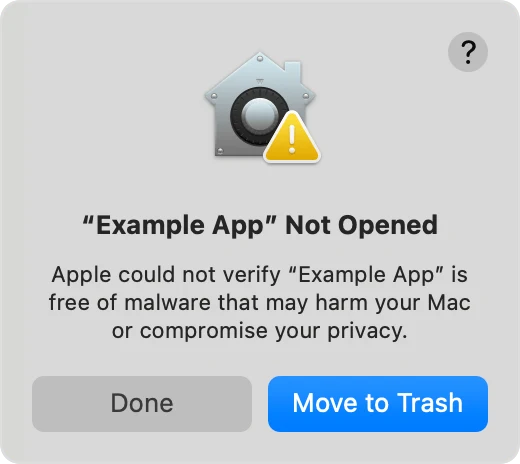
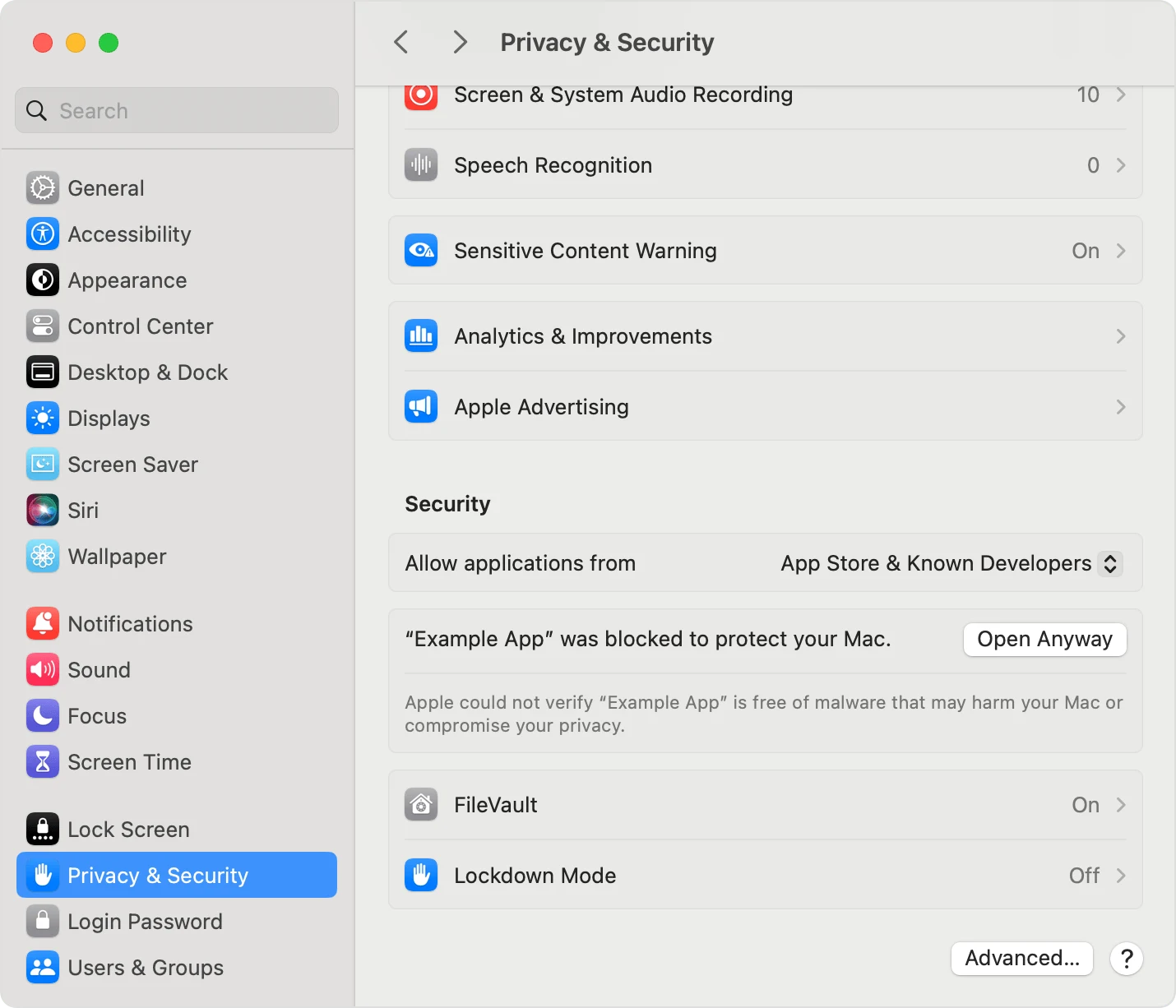
On macOS Monterey, use System Preferences → Security & Privacy → General. Try opening DCode once if the approval button is missing; Apple makes it available for about an hour after a blocked launch.
Only approve the DCode copy you downloaded here. Keep macOS security protection enabled. A malware warning is different from an unverified-developer message; do not bypass it.
Sign in inside DCode with your DEVERA account, then add a workspace and open a local folder. Choose an available model, describe what you want to build, and review the requested actions.
Local projects, terminals, skills, plugins, and MCPs stay on your computer. Account services, managed models, discussions, and generated images use DEVERA’s servers.
Request access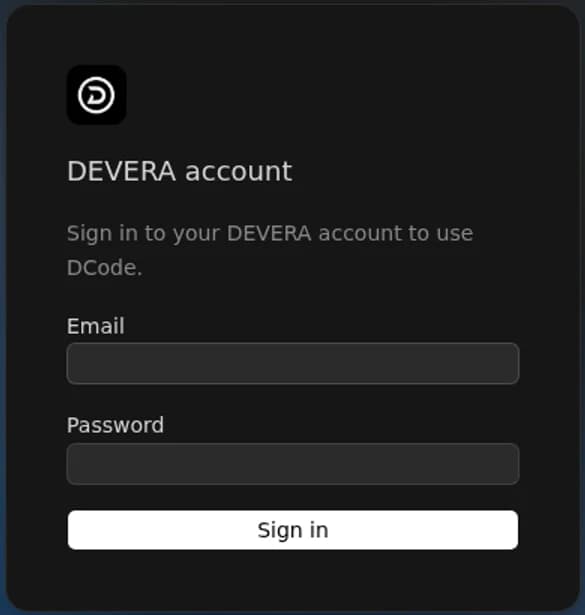
You need a DEVERA account with DCode access. Sign in in the app to use the managed models available to your account. Contact DEVERA if you need access or help with your subscription.
Windows, Apple Silicon Mac and Linux support in-app updates. If you have version 0.11.0 on Mac or Linux, install this release once to enable the new updater. Debian updates may ask for your administrator password.
The current Mac download is for Apple Silicon (M-series) only, with macOS 12 or later. There is no Intel Mac download on this page.
Local project files and local tooling stay on your computer. Generated images are saved to your DEVERA cloud image library, including when you work in Local mode. Account services, models, and discussions also connect to DEVERA.
No. Managed VPS workspaces are restricted to authorized DEVERA staff. Subscriber accounts use local workspaces and do not have VPS access.
Download DCode, open a project, and start with an idea.
Get DCodeNeed a hand? Contact DEVERA